The Craft CMS Free Stack
A brief introduction for a free Craft CMS Stack with everything you need for a real application.
A few months ago I had a discussion with a friend about the pricing of a running Craft CMS site. I was on team "Craft is mainly a mid-/larger-company CMS" and he disagreed. This led to some thinking, and now I would like to share my "Craft CMS Free Stack".
Here is the template repo, if you want to explore the code instead of reading.
Requirements
Before I dive into the actual stack, let me quickly outline what I expect from every project I build. These are the non-negotiables that any solution, free or paid, has to cover for me to even consider it.
SEO
I want to rank high, so we need some kind of SEO solution that handles the heavy lifting for us.
Image Transforms
Images should be as small as possible. The site should be blazingly fast. Therefore, we need to serve images as lightweight as possible.
DSGVO Tools
I'm from the EU, so we need to make sure the site handles cookies and analytics correctly.
Cheap Hosting
I want to host it for (nearly) free.
Plugins
Let's start with the elephant in the room. Craft CMS does cost something, and all the great plugins are also not free. Not really.
Craft CMS Solo
If you don't need user management and a branded control panel, you can use the Craft Solo License. It is free forever, supports multiple sites, and you can even use GraphQL. What?
SEO
I'm a lifetime SEOMatic user, but this plugin is disqualified because of the plugin fee. Another great alternative is SEOMate. It's not as fancy. No control panel UI, no per-entry SEO field, and not as much goodies you get with SEOMatic. But honestly? For titles, descriptions, OG/Twitter tags, image transforms, and a sitemap, it does the job and that's everything I actually need.
<?php

use craft\elements\Entry;
use craft\helpers\App;

return [
    '*' => [
        // ------ General ------
        'cacheEnabled' => App::env('CRAFT_ENVIRONMENT') === 'production',
        'cacheDuration' => 3600,

        // ------ Site identity ------
        'siteName' => App::env('SITE_NAME') ?: 'Ganz Lebendig',
        'includeSitenameInTitle' => true,
        'sitenamePosition' => 'after',
        'sitenameSeparator' => '|',

        // ------ Source mapping ------
        // SEOmate's `fieldHandle:subFieldHandle` syntax only works for Matrix sub-fields.
        // For ContentBlock sub-fields (hero), we use object-template syntax: `{hero.text}`.
        'fieldProfiles' => [
            'default' => [
                'title' => ['{hero.headline}', 'title'],
                'description' => ['{hero.text|striptags|trim}'],
                'image' => ['{hero.image.one().id ?? ""}'],
            ],
        ],

        // All sections currently use the pagebuilder entry type → one shared profile.
        'profileMap' => [
            'pages' => 'default',
            'home' => 'default',
            'errorPages' => 'default',
        ],

        // ------ Defaults / fallbacks (when fieldProfiles return empty) ------
        'defaultMeta' => [
            'title' => ['{hero.headline}'],
            'description' => [
                '{hero.text|striptags|trim}',
            ],
            'image' => [
                '{hero.image.one().id ?? ""}',
            ],
        ],

        // ------ Static tags applied to every page ------
        'additionalMeta' => [
            'twitter:card' => 'summary_large_image',
            'og:type' => 'website',
        ],

        // ------ Length constraints / validation ------
        'metaPropertyTypes' => [
            'title,og:title,twitter:title' => [
                'type' => 'text',
                'minLength' => 10,
                'maxLength' => 60,
            ],
            'description,og:description,twitter:description' => [
                'type' => 'text',
                'minLength' => 50,
                'maxLength' => 160,
            ],
            'image,og:image,twitter:image' => [
                'type' => 'image',
            ],
        ],

        // ------ Image transforms for og:image / twitter:image ------
        'imageTransformMap' => [
            'og:image' => [
                'width' => 1200,
                'height' => 630,
                'format' => 'jpg',
                'mode' => 'crop',
            ],
            'twitter:image' => [
                'width' => 1200,
                'height' => 600,
                'format' => 'jpg',
                'mode' => 'crop',
            ],
        ],

        'useImagerIfInstalled' => false,

        // ------ Sitemap ------
        'sitemapEnabled' => true,
        'sitemapName' => 'sitemap',
        'sitemapLimit' => 500,
        'sitemapConfig' => [
            'elements' => [
                [
                    'elementType' => Entry::class,
                    'criteria' => ['section' => ['home', 'pages']],
                    'params' => [
                        'changefreq' => 'weekly',
                        'priority' => 0.8,
                    ],
                ],
            ],
            'custom' => [],
        ],

        // ------ Preview ------
        'previewEnabled' => true,
    ],
];
In fieldProfiles you tell SEOMate which fields map to which meta tags. Headline becomes title, hero text becomes description, hero image becomes OG image.
From there SEOMate does the rest -> title with site name appended, description, OG and Twitter tags, OG image resized to 1200x630, sitemap. So you set the field handles once and you basically never touch this file again.
Other Must Haves
- Quick Edit: Adds an edit entry button to the frontend, so you can quickly jump to the right place in the control panel if you want to change something.
- CKEditor: Adds a rich text editor field to the control panel.
DSGVO Tools
It's opinionated, but I think Cookiebot is great to work with, and they have a free tier. The main reason I like it: their JavaScript API just works. Drop their script in the <head>, slap a data-cookieconsent="statistics" (or marketing, preferences) on any third-party script, and Cookiebot handles the rest. It loads when the user consents, unloads when they revoke.
For analytics, I choose (who would have guessed
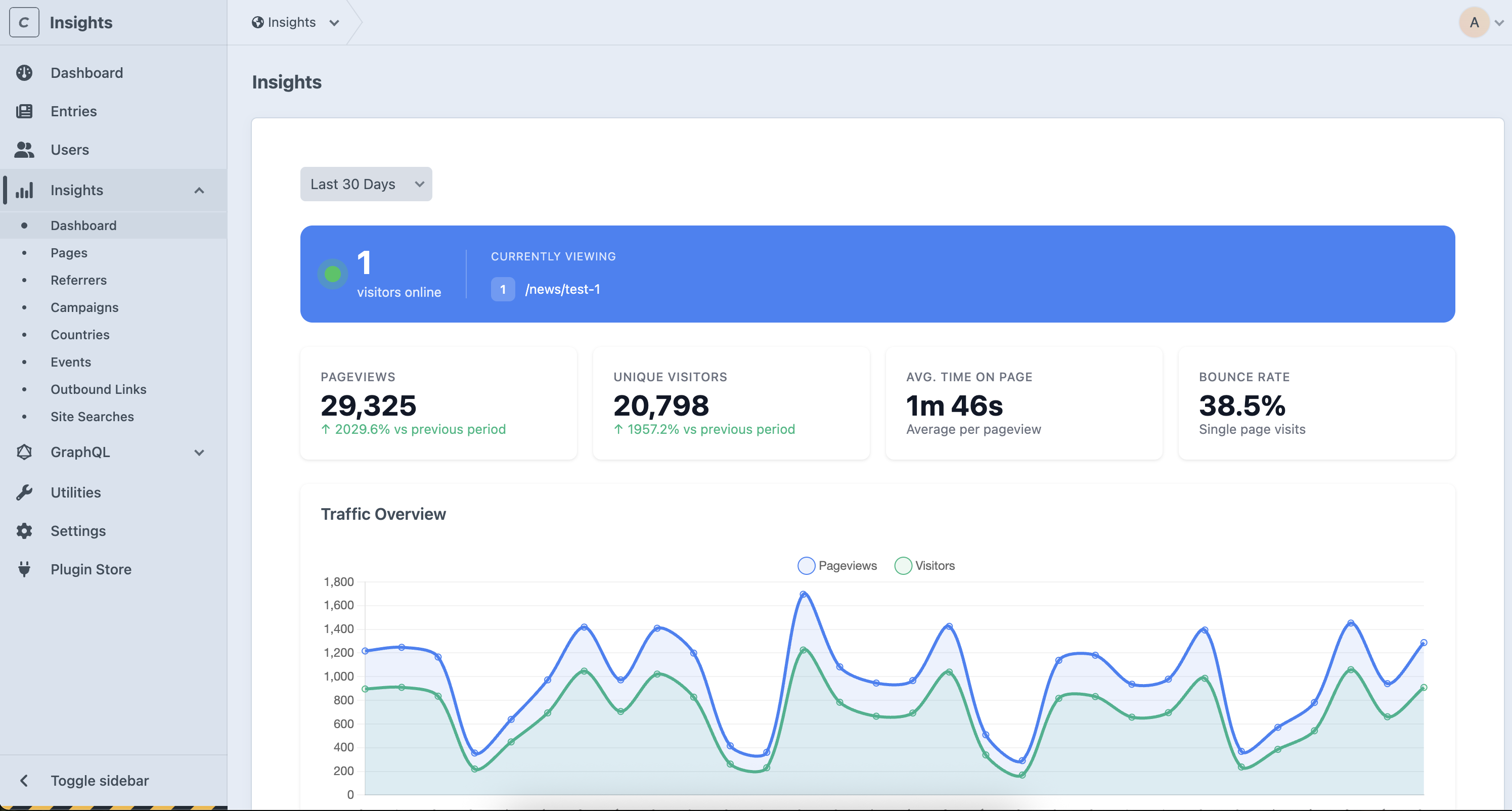
The free plan also comes with Traffic Sources (Referrals) and Technology insights (Device, Browser, Desktop/Mobile).
Image Transforms
Another plugin I always used was ImagerX. But there's no need to install any plugin at all to get something similar. We can simply use Craft's native image transforms.
To get this to work properly I wrote a small image component. Here's what it does:
- Aspect ratio presets:
auto,landscape(16:9),portrait(3:4), andsquare. Each one ships with sensiblesrcsetwidths, so responsive images just work. - WebP with fallback: A
<picture>element with WebP via<source>and the original format as fallback. Old browsers stay happy. - Lazy loading:
loading="lazy"anddecoding="async"by default. Flip thelazyprop and it switches todata-src/data-srcset, so you can hook in lazysizes if you want. - Dominant color placeholder: Pass a
dominantColorand the component paints it as a background while the image loads. Cheap LQIP. - Safe fallbacks: SVGs and other non-transformable assets skip the whole pipeline and just render as a plain
<img>. - Captions: Set
showCaption: trueand it wraps everything in a<figure>with the asset's caption.
{# >>> Comp Settings #}
{% set compDefaults = {
  data: {
    image: null,
    showCaption: false,
    dominantColor: null,
    lazy: true,
    transform: 'auto',
    objectFit: '',
    sizes: '100vw',
  },
  classes: {
    root: '',
    custom: '',
  },
} %}

{# >>> Merge data / classes #}
{% set props = {
  data: data is defined and data is iterable ? compDefaults.data | merge(data) : compDefaults.data,
  classes: classes is defined and classes is iterable ? compDefaults.classes | merge(classes) : compDefaults.classes,
} %}

{% if props.data.image %}
  {% if props.data.showCaption and props.data.image.caption %}
    {{ include('_components/image/partials/figure.twig', {
      data: props.data,
      classes: props.classes,
    }, with_context = false) }}

  {% else %}
    {{ include('_components/image/partials/image.twig', {
      data: props.data,
      classes: props.classes,
    }, with_context = false) }}
  {% endif %}
{% endif %}
Hosting
I have a Hetzner VPS for testing and hosting some of my stuff. It's not free, but I pay 9€/month, and this bill gets covered quickly if you host a client's website and they pay you for hosting. So for now, let's call it semi-free.
To manage all the deployment stuff, I simply use Coolify. So everything a project needs to run can live in its own Docker container.
services:
  db:
    image: mysql
    environment:
      MYSQL_DATABASE: db # Database name
      MYSQL_USER: db # Database user
      MYSQL_PASSWORD: db # Database password
      MYSQL_ROOT_PASSWORD: root # Root password (credentials only available in the container)
    volumes:
      - db_data:/var/lib/mysql # Maps the 'db_data' named volume to MySQL's data directory
    healthcheck: # Configures a health check for the database
      test: ["CMD", "mysqladmin", "ping", "-h", "localhost"]
      interval: 1s
      timeout: 3s
      retries: 10

  web:
    build: # Specifies how to build the Docker image
      context: .
      dockerfile: ./.coolify/Dockerfile # Specifies the path to the Dockerfile
      target: web # Build target stage
      args: # Passes build arguments to the Dockerfile
        - php_version=8.3 # Sets the PHP version
        - node_version=22 # Sets the Node.js version
    depends_on:
      db:
        condition: service_healthy # Ensures the 'web' service starts only after the 'db' service is healthy
    volumes:
      - assets_data:/app/web/assets # Maps the 'assets_data' named volume to asset directory

  queue:
    build:
      context: .
      dockerfile: ./.coolify/Dockerfile
      target: queue
      args:
        - php_version=8.3
        - node_version=22
    depends_on:
      db:
        condition: service_healthy
    volumes:
      - assets_data:/app/web/assets
    restart: unless-stopped

volumes:
  db_data: # Defines the 'db_data' volume for persistent database storage (database is not deleted during deploy)
  assets_data: # Defines the 'assets_data' volume for persistent asset storage (assets get not deleted during deploy)
I wrote an article about Craft and Coolify some time ago. That said, I rewrote the Coolify setup for this template. Craft decided to discontinue their Docker images, so I use Server Side Up now.
Conclusio
Here we go, another template that reinvents the wheel.
You can find the full template here: Template-Simple-Craft-CMS.
Let me know what you think!
– Cheers