Custom Queue Manager
Manage custom queues in the Craft CMS control panel.
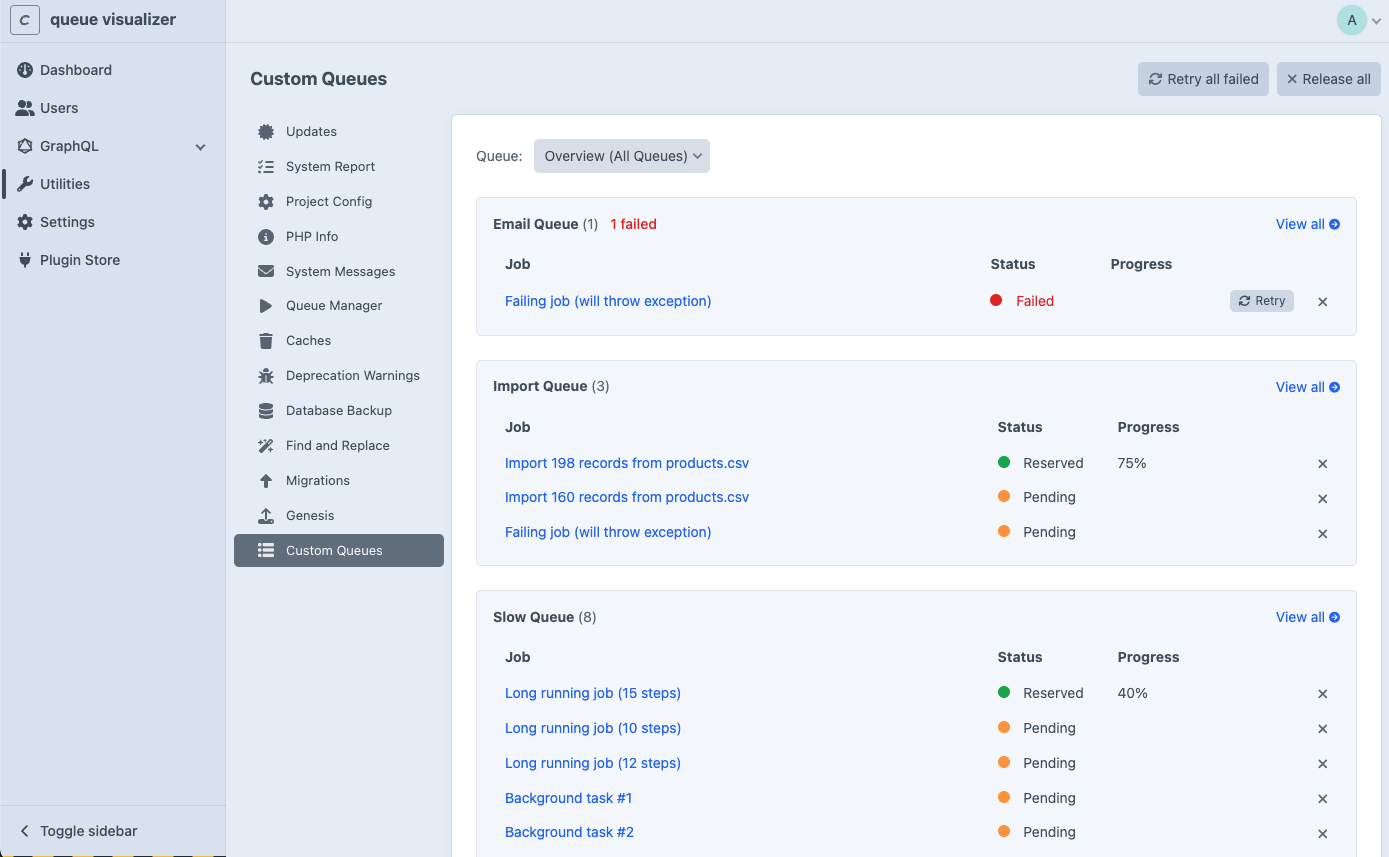
Custom Queue Manager adds a utility to the Craft CMS control panel for monitoring and managing custom queue jobs. It auto-discovers all custom queues registered in your app config and provides a real-time dashboard with job management capabilities.
Features
- Custom Queue Discovery: Automatically finds all custom queues registered in your Craft app config
- Real-time Monitoring: Auto-refreshing dashboard shows job status, progress, and statistics
- Job Management: Retry failed jobs or release jobs directly from the control panel
- Bulk Actions: Retry all failed jobs or release all jobs across one or all queues
- Job Details: Inspect individual jobs including class, status, progress, and error messages
- Email Notifications: Get notified via email when a queue job fails
- Customizable System Messages: Edit the failure notification email template via Craft's System Messages
How It Works
- Register custom queues in your
config/app.php - The plugin auto-discovers them and adds a utility to the control panel
- Monitor and manage jobs through the dashboard
Note
The utility only appears when at least one custom queue is configured. The plugin does not manage Craft's default queue.