Audit Log
Track every action the AI agent performs with field-level diffs and full traceability.
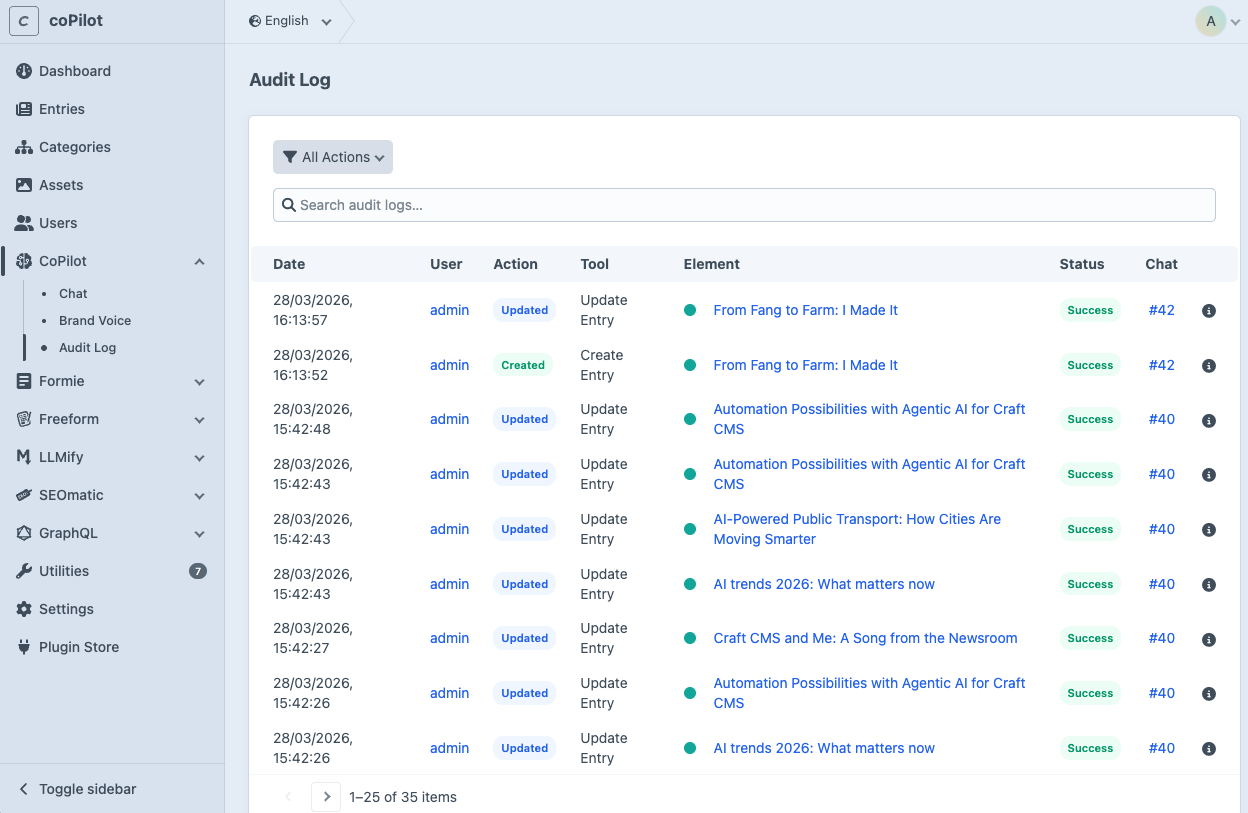
The Audit Log records tool call the agent makes, reads, creates, and updates. It gives you full traceability of what the agent did, when, and for which entry.
You can access the Audit Log in the control panel under CoPilot → Audit Log.
What Gets Logged
Every tool execution is logged automatically with the following information:
- User: Who triggered the action
- Tool: Which tool was called (e.g. updateEntry, createEntry, searchEntries)
- Action: The type of operation (read, create, update)
- Element: The affected element with a direct link to the editor
- Conversation: Link back to the conversation where the action happened
- Status: Whether the action succeeded or was denied
- Date: When the action was performed
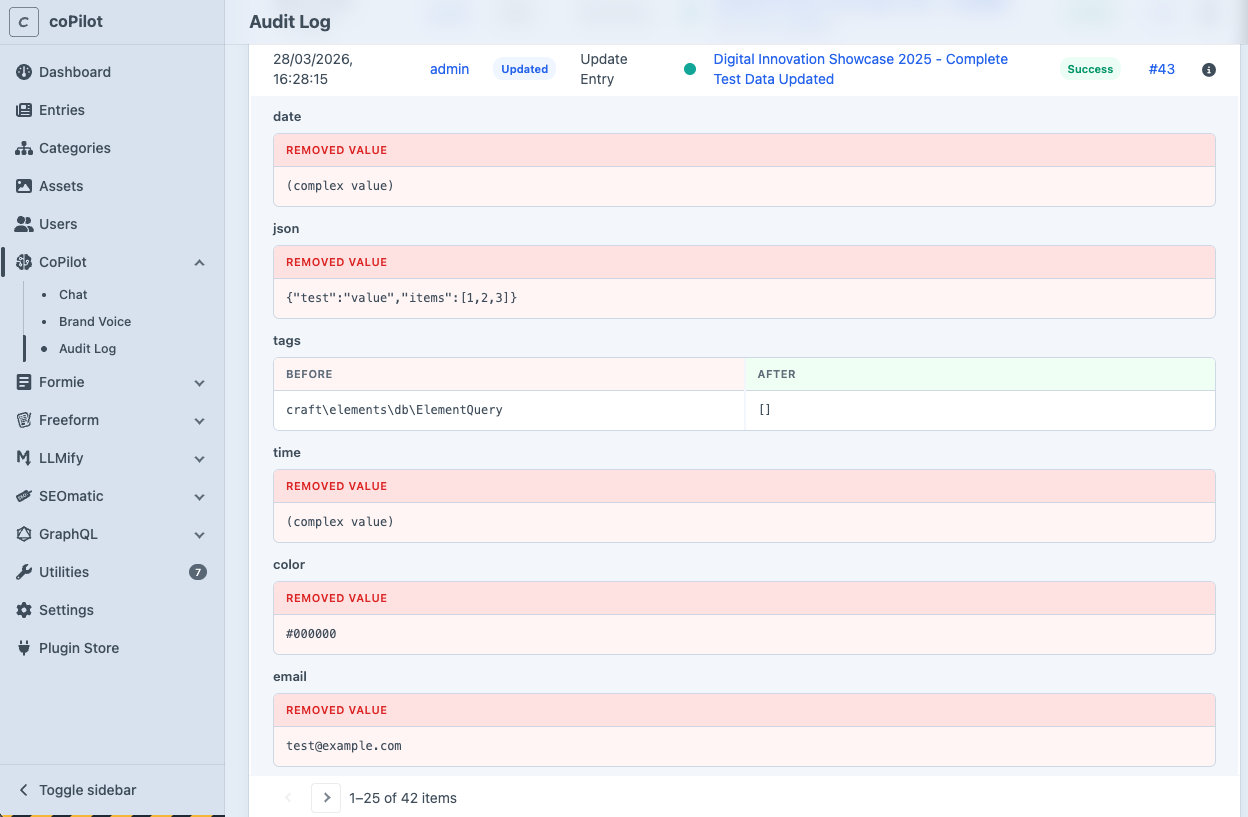
- Diff: What has changed during update operations
Field-Level Diffs
For update operations, the audit log tracks exactly which fields changed and shows a before/after comparison. This makes it easy to review what the agent modified without having to check the element itself.
Data Retention
Old audit log entries are automatically cleaned up via Craft's garbage collection. By default, entries are kept for 30 days. You can adjust this in the configuration.
Cleanup is irreversible. Once audit log entries are deleted, they cannot be recovered.