Tools
A complete list of all built-in tools the CoPilot agent can use to manage your content.
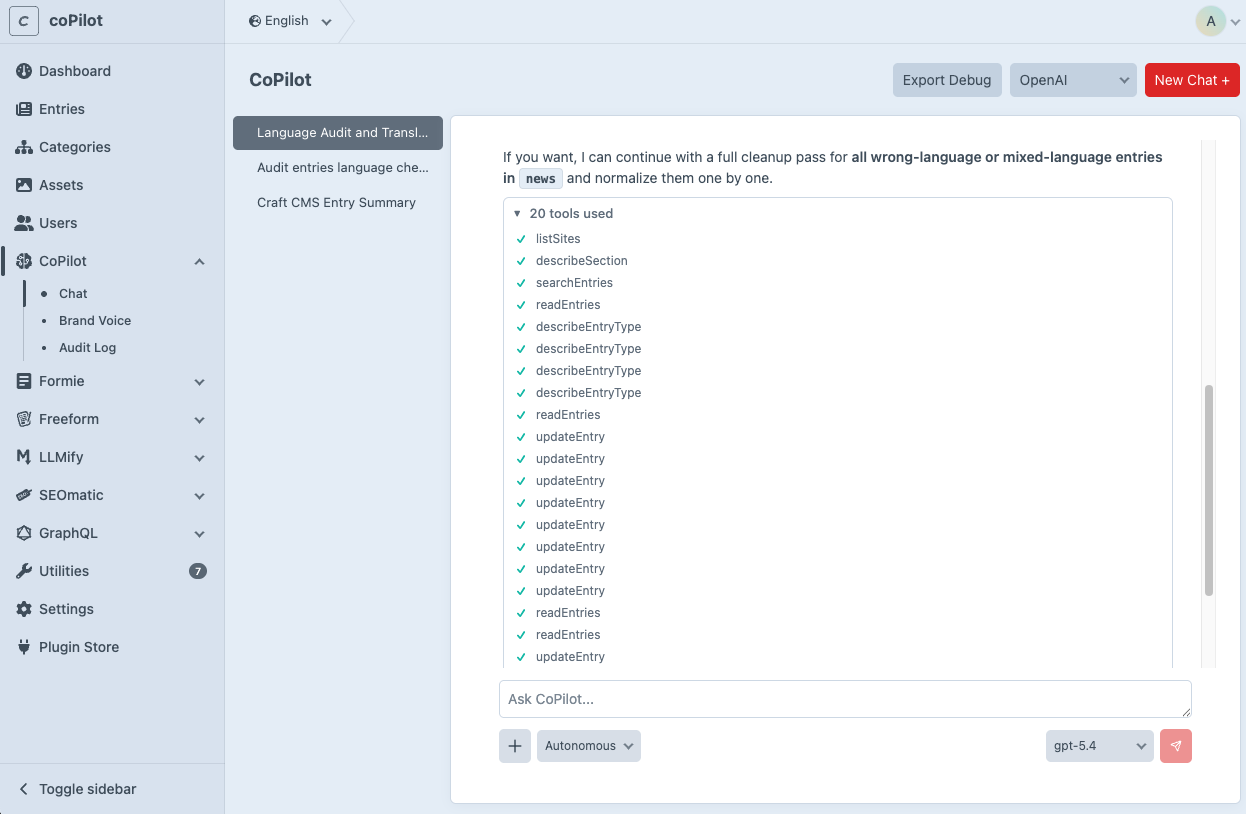
Tools are the actions the agent performs on your behalf. When you ask the agent to do something like "create a blog post" or "translate this entry" it uses one or more tools behind the scenes. You can see which tools are being called in the chat as they execute.
Discovery & Schema
These tools help the agent understand your content structure before making changes.
Search
Search tools let the agent find existing content. They return summaries with IDs that can be used in create or update operations.
Read
Read tools retrieve detailed information about specific content.
Create
Update
How Tools Work Together
The agent typically follows this workflow when making content changes:
- Discover: listSections to find the right section
- Describe: describeSection to learn the field structure
- Search/Read: searchEntries or readEntry to find or inspect existing content
- Write: createEntry or updateEntry to make changes
- Verify: readEntry to confirm the changes were applied correctly
All tools respect the access control settings. If a section is set to read-only, the agent can read but not modify entries in that section.
Custom Tools
Developers can extend the agent with custom tools to add new capabilities. See the Custom Tools guide for a full walkthrough.