AI Bot Analytics
Track AI crawler traffic, top visited Markdowns, and delivery splits with the Craft Insights integration.
LLMify ships with a built-in integration for Craft Insights that turns every Markdown response your site serves into actionable AI bot analytics. When both plugins are installed, Insights gains a dedicated dashboard for tracking AI crawlers.
What You Get
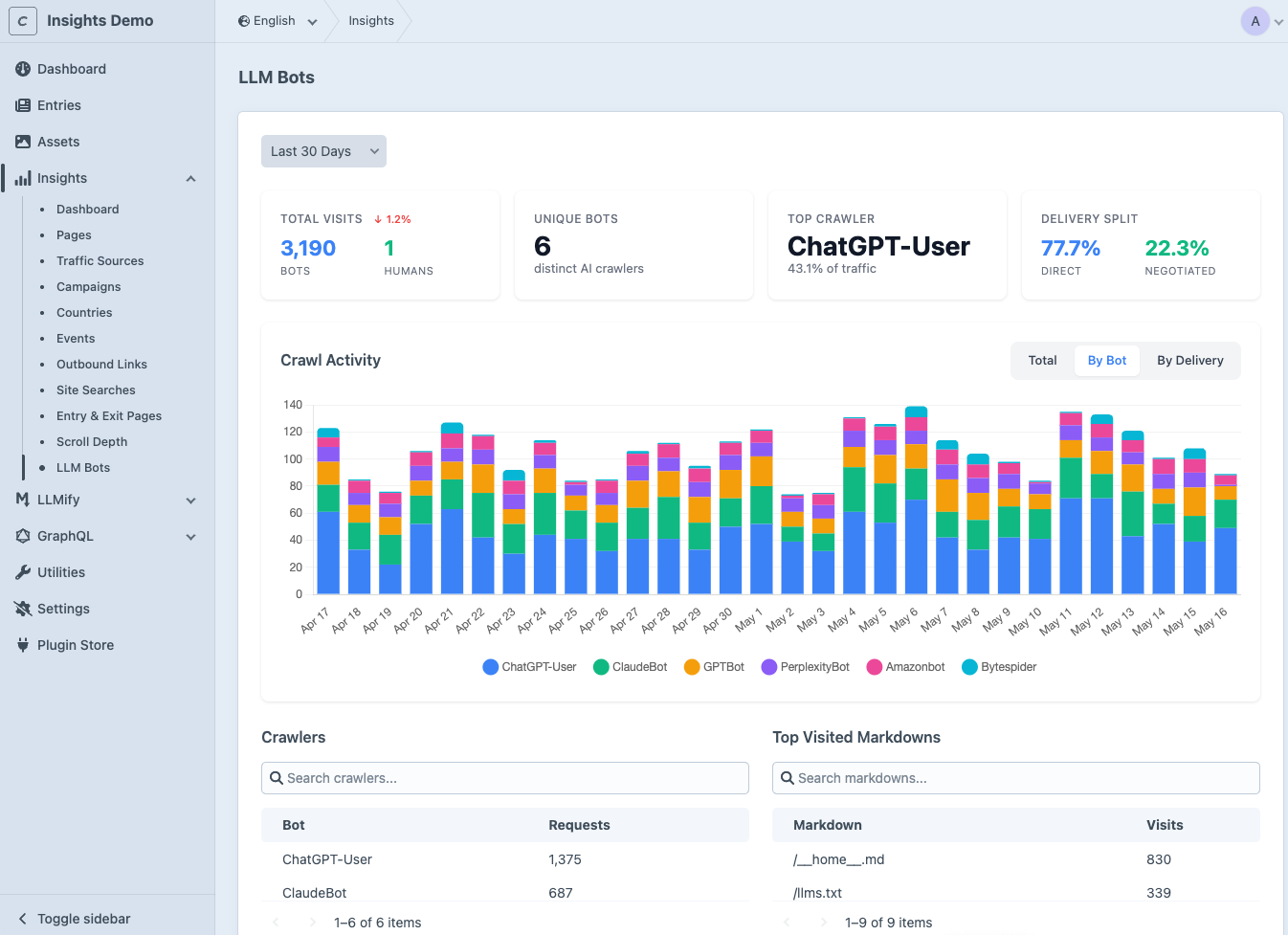
A new LLM Bots entry in the Insights subnav with:
- Headline KPIs: total visits split between bots and humans, unique crawler count, top crawler with traffic share, and the delivery split between direct Markdown URLs and content-negotiated responses.
- Crawl Activity chart: daily request volume, groupable by total, by bot, or by delivery method.
- Crawlers leaderboard: per-bot request counts so you can see which AI agents read your site most.
- Top Visited Markdowns: ranked list of
.mdpages,llms.txt, andllms-full.txtby visit count.
Setup
There is no configuration. The integration activates automatically when both plugins are installed and enabled.
Install Insights
Install the Craft Insights plugin alongside LLMify:
ddev composer require samuelreichor/craft-insights &&
ddev craft plugin/install insights
composer require samuelreichor/craft-insights &&
php craft plugin/install insights
Grant Permission
Go to Settings > Users > User Groups and grant the View LLM Bots permission under the Insights heading. This permission only appears when LLMify is installed.
Open the Dashboard
Navigate to Insights > LLM Bots in the Craft control panel. The dashboard starts populating as soon as AI crawlers or users hit any Markdown URL on your site.
For a metric-by-metric breakdown (Total Visits, Unique Bots, Top Crawler, Delivery Split, and more) see the Metrics Reference on the Insights docs.
Editions
Available in both Insights Lite and Insights Pro. The LLM Bots page is gated by its own permission and only exposed when LLMify is installed, so neither plugin is affected by the absence of the other.